> ## Documentation Index
> Fetch the complete documentation index at: https://docs.spikeapi.com/llms.txt
> Use this file to discover all available pages before exploring further.
# Introduction
> Get started with Spike API - your gateway to health and fitness data integration
# Getting Started with Spike API
Spike API provides a powerful platform for integrating health and fitness data from various providers like Garmin, Fitbit, and more. This guide will help you understand the key differences between using our API directly versus using our SDK.
## Spike API Overview
The Spike API enables seamless integration with health and fitness data providers through:
* Secure authentication using HMAC signatures
* Comprehensive endpoints for data access
* Provider integration management
* User authentication and data management
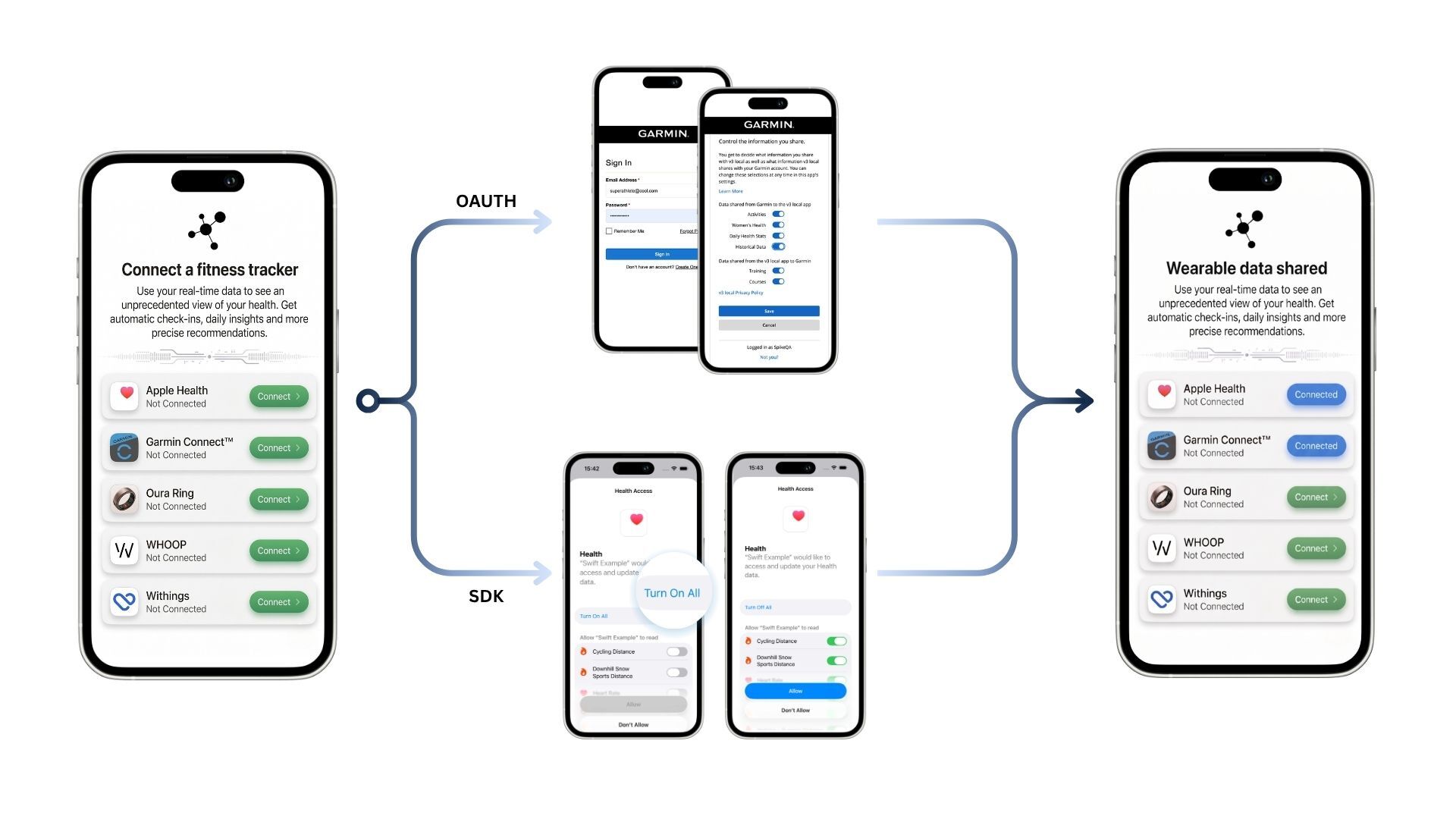 ## API vs SDK: Choosing Your Integration Path
The API offers robust control and server-side processing, while the SDK simplifies integration with automatic handling of common tasks.
### Using the API Directly
```mermaid theme={null}
sequenceDiagram
autonumber
%% Group client actors
box rgb(220,240,255) Client Side
participant ClientApp as Client
## API vs SDK: Choosing Your Integration Path
The API offers robust control and server-side processing, while the SDK simplifies integration with automatic handling of common tasks.
### Using the API Directly
```mermaid theme={null}
sequenceDiagram
autonumber
%% Group client actors
box rgb(220,240,255) Client Side
participant ClientApp as Client
Application
participant ClientServer as Client
Server
end
%% Group platform actors
box rgb(255,231,247) Spike Platform
participant SpikeSDK as Spike
SDK
participant SpikeAPI as Spike
API
end
%% Group provider actors
box rgb(255,255,220) External Data
participant Provider as Data
Provider
end
%% Main flow starts
Note right of ClientApp: User requests integration
with a data provider
ClientApp->>+SpikeSDK: Request provider integration
SpikeSDK->>+SpikeAPI: Initiate integration process
deactivate SpikeSDK
SpikeAPI->>Provider: Integrate with provider
Note right of Provider: Integration established
Provider syncs data
Provider-->>SpikeAPI: Continuously sync data
rect rgb(240,255,240)
SpikeAPI->>ClientServer: Send webhook event (new data)
ClientServer->>+SpikeAPI: Query new data details
SpikeAPI-->>-ClientServer: Return integrated data
end
Note over SpikeAPI,Provider: Ongoing data synchronization
deactivate SpikeAPI
```
Ideal for scenarios where:
- Data needs to be available for central processing on a server
- Developers require fine-grained control over data handling
- Custom server-side authentication flows are necessary
For detailed API documentation, visit our [API
Documentation](/api-docs/overview)
### Using the SDK
SDK Integration
```mermaid theme={null}
sequenceDiagram
participant ClientApp as Client Application
participant SpikeSDK as Spike SDK
participant SpikeAPI as Spike API
participant Provider as Data Provider
ClientApp->>SpikeSDK: Request to Integrate with Provider
activate SpikeSDK
SpikeSDK->>SpikeAPI: Start Provider Integration Process
deactivate SpikeSDK
SpikeAPI->>Provider: Establish Integration
Provider->>SpikeAPI: Continuously Synchronize Data
ClientApp->>SpikeSDK: Request Data Retrieval
activate SpikeSDK
SpikeSDK->>SpikeAPI: Forward Data Query
deactivate SpikeSDK
SpikeAPI->>ClientApp: Deliver Retrieved Data
```
Best suited for applications where:
- Data is primarily used within the context of an app
- Simplified integration with minimal setup is preferred
-
Automatic handling of authentication and error management is beneficial
For detailed SDK documentation, visit our [SDK
Documentation](/sdk-docs/overview)